Introduce basic usage of ElaWidgetTools.
ElaWidgetTools introduction
A FluentUI-style component library based on Qt Widgets. It also provides common integration features beyond just components. The main branch supports all Qt 5.12+ versions (Qt 5.15+ on Linux). Recommended versions are Qt 6.4.3 and Qt 6.6.2.
Use in your project
Build the DLL
Clone it and open with Qt Creator. The project is CMake, so open CMakeLists.txt.
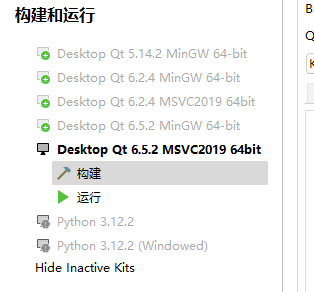
Choose a Qt version that matches your project and build in Release mode.
You will get elawidgettools.dll and elawidgettools.lib in the root directory.
Add to your project
Create lib and include folders in your project.
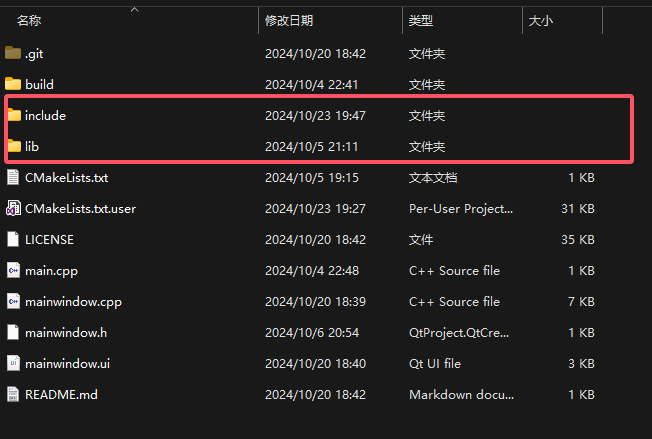
Put elawidgettools.dll and elawidgettools.lib into lib.
Copy files from ElaWidgetTools-main\src\include into include.
Now open your project's CMakeLists.
First include the include folder:
include_directories(
    include
)
Then add the qrc file in add_executable:
include/ElaWidgetTools.qrcFinally, link the library in target_link_libraries:
${CMAKE_CURRENT_SOURCE_DIR}/lib/elawidgettools.libDone. A complete CMakeLists example (for reference only):
cmake_minimum_required(VERSION 3.16)

project(Test VERSION 0.1 LANGUAGES CXX)

set(CMAKE_AUTOUIC ON)
set(CMAKE_AUTOMOC ON)
set(CMAKE_AUTORCC ON)

set(CMAKE_CXX_STANDARD 17)
set(CMAKE_CXX_STANDARD_REQUIRED ON)

find_package(Qt6 REQUIRED Widgets Multimedia MultimediaWidgets NetWork)

set(PROJECT_SOURCES
        main.cpp
        mainwindow.cpp
        mainwindow.h
        mainwindow.ui
)

add_executable(${PROJECT_NAME} ${PROJECT_SOURCES}
    include/ElaWidgetTools.qrc # added here
    res.qrc)
# added here

include_directories(
    include
)

target_link_libraries(${PROJECT_NAME} PRIVATE Qt6::Widgets Qt6::Multimedia Qt6::MultimediaWidgets Qt6::Network
    ${CMAKE_CURRENT_SOURCE_DIR}/lib/elawidgettools.lib# added here

)
You can modify main.cpp like this to test:
//#include "mainwindow.h"

#include <QApplication>
#include "ElaApplication.h"
#include "ElaWindow.h"

int main(int argc, char *argv[])
{
    QApplication a(argc, argv);
    ElaApplication::getInstance()->init();
    ElaWindow w;
    w.show();
    return a.exec();
}
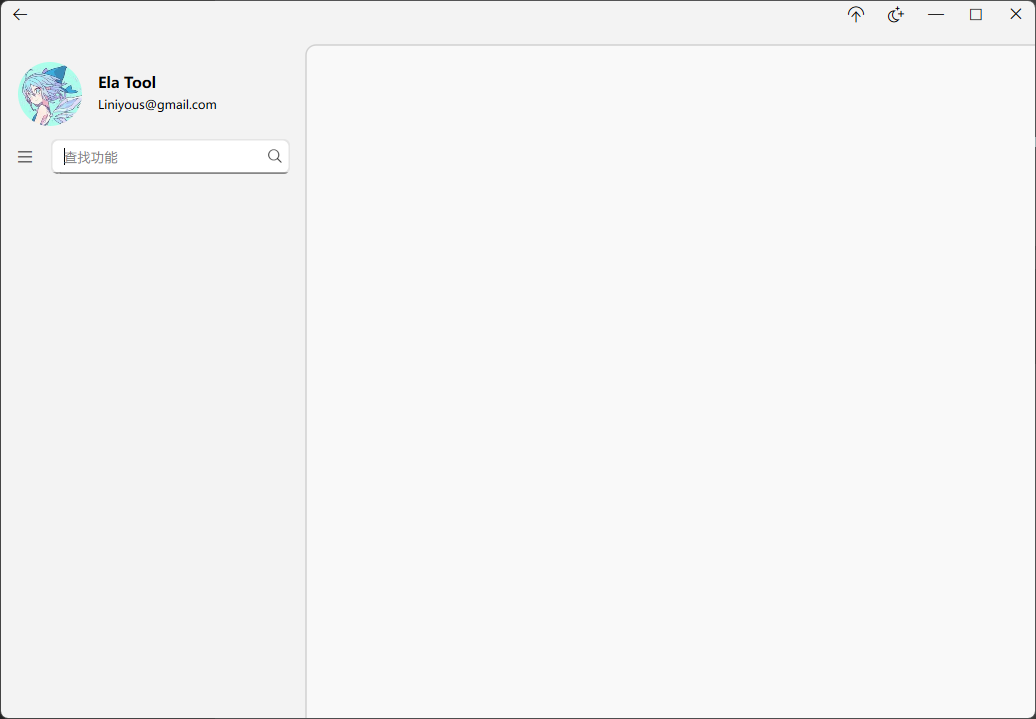
If everything is fine, you should see this window:
Use in your project
Window changes
In your .h file, after adding headers, change:
class MainWindow : public QMainWindowto:
class MainWindow : public ElaWidget or ElaWindowPick ElaWidget or ElaWindow depending on your needs.
Also update your .cpp to use Ela:
MainWindow::MainWindow(QWidget *parent)
    : ElaWindow(parent) // update here
    , ui(new Ui::MainWindow)
{
    ui->setupUi(this);
}
Then initialize in main.cpp:
#include "mainwindow.h"

#include <QApplication>
#include "ElaApplication.h"


int main(int argc, char *argv[])
{
    QApplication a(argc, argv);
    MainWindow w;
    w.show();
    eApp->init(); // init
    return a.exec();
}
Using controls
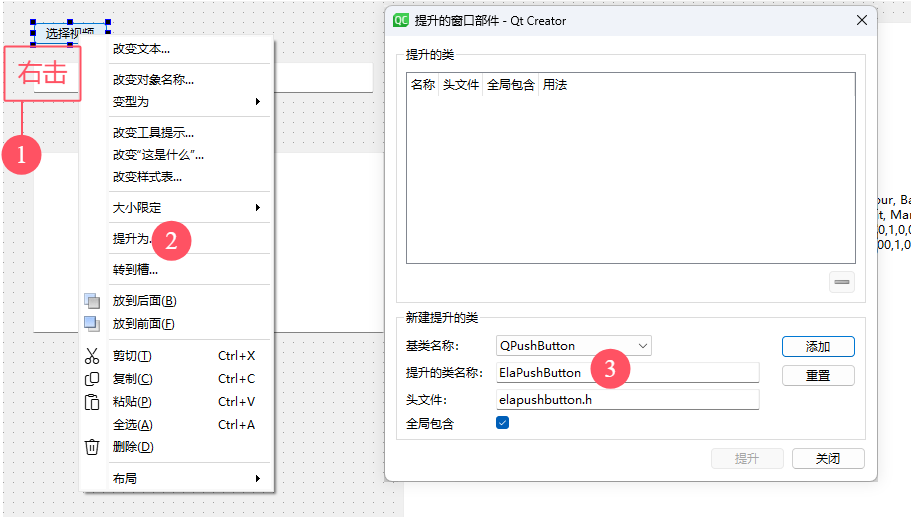
Besides creating controls in .cpp, some controls (with inheritance) can be "Promoted" in the UI designer. That said, it is not recommended.
No comments yet
Share your thoughts and keep the conversation clear and kind.
Write a comment
Sign in with GitHub first, then you can comment.